Kommersy builds and runs your store from your product photos.
Add a product by link or photos. The AI studio prepares its pictures from your own photos, picks up a template and builds the store around it. Then it runs the shop: orders, payments, legal pages, ads.
Accounts are created by invitation during early access.
From product photos to a store that sells, in five steps.
Add a product
By link or from your own photos. The link import reads the listing and works out your margin before you decide.
Prepare its pictures
The AI studio makes the product pictures from the photos you took. The product never changes: the same item, in better scenes.
Pick a template
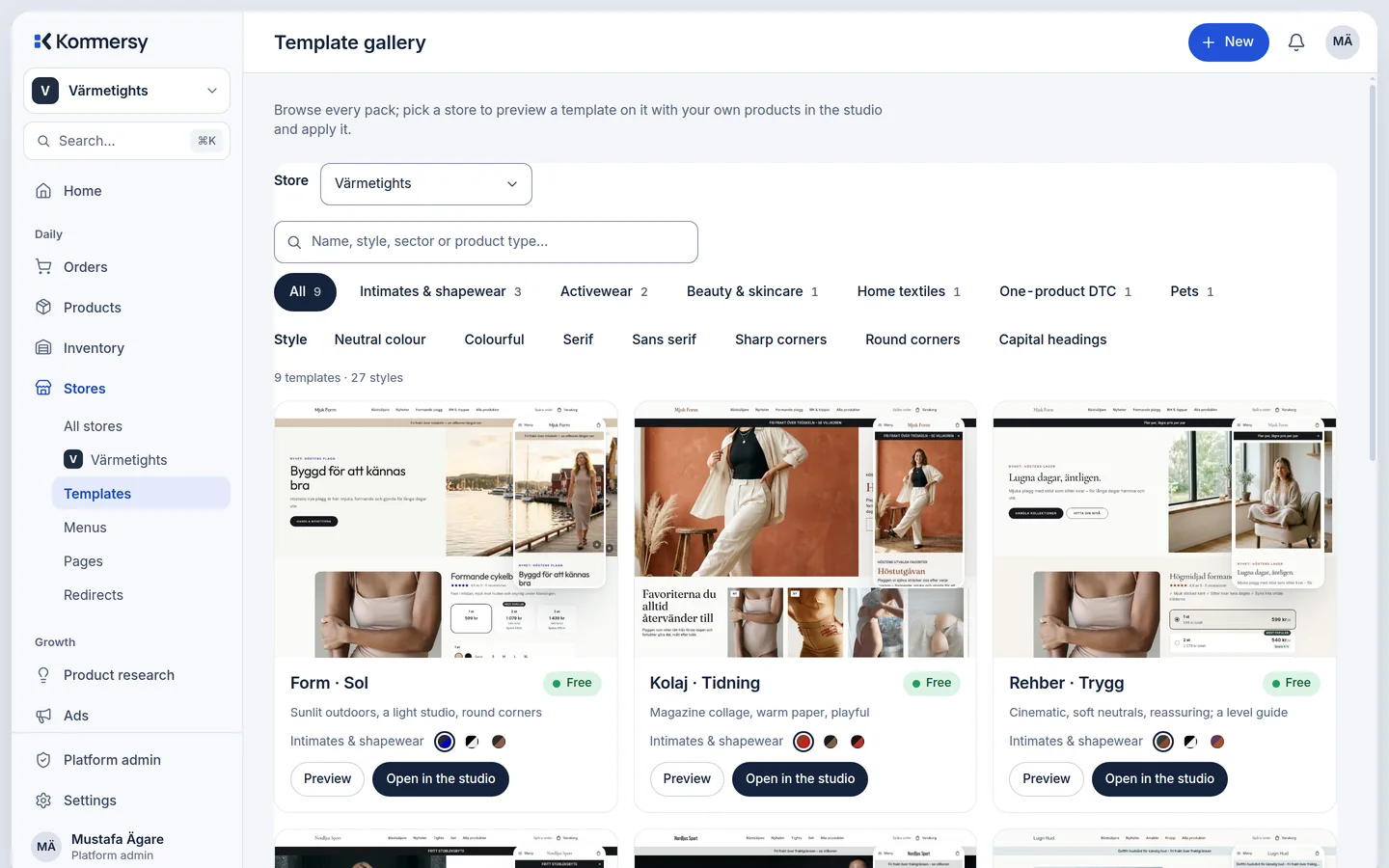
Designer-made: 9 templates, each in 3 styles. Pick the one that fits the product, not the other way round.
AI builds the whole store
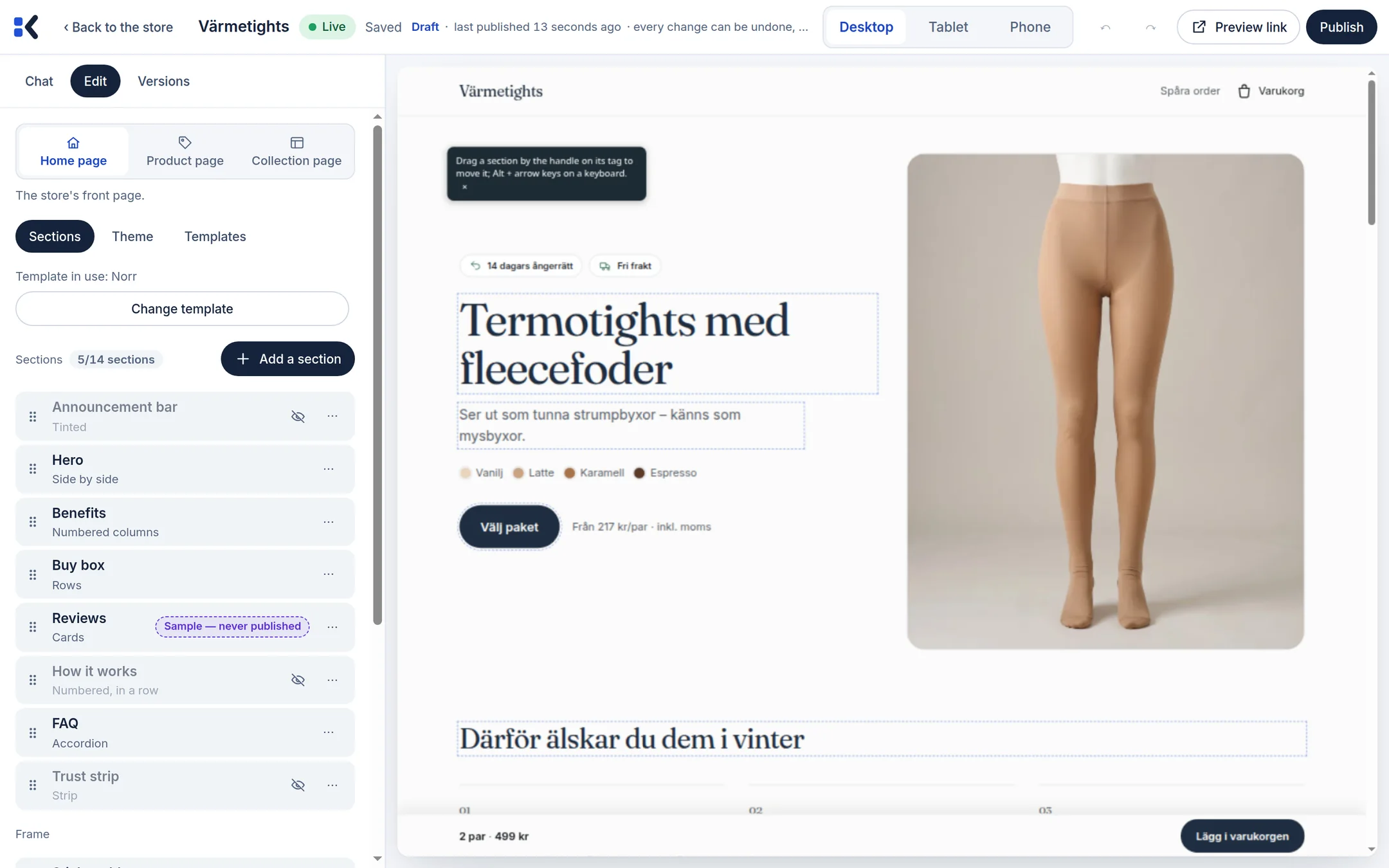
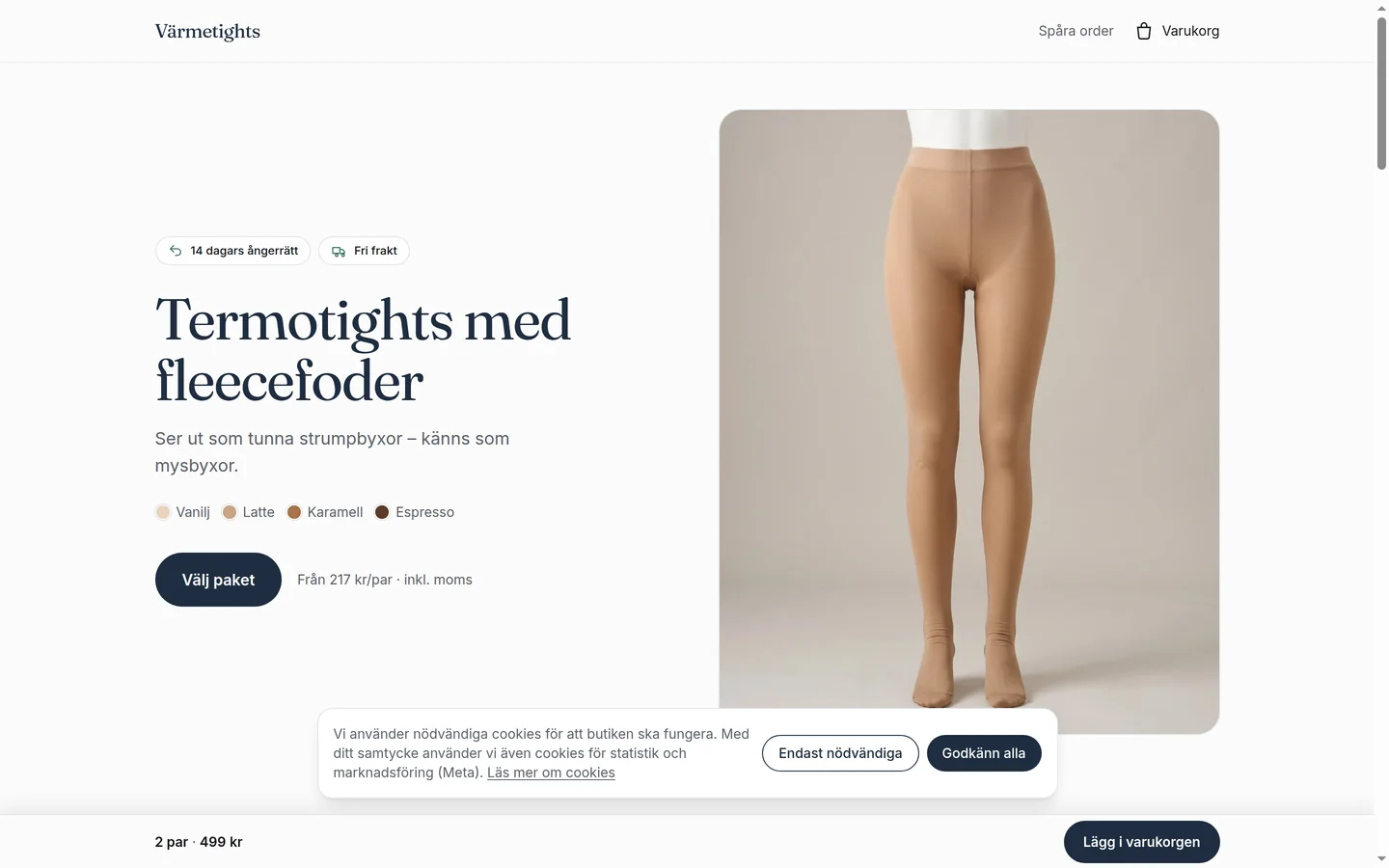
Pages, copy, collections and pictures, built around your product. You watch it in a live preview, on a phone frame and a desktop frame.
Publish
Your store goes live on its kommersy.com address or on your own domain, with payments and the legal pages in place.

The pictures start from the photos you take.
Three to five photos of the real product are enough. The studio changes the scene, the light and the framing. It does not change the product, and it checks that it did not.
- Packshots, scenes and detail pictures made from your own photos.
- Every run shows its credit estimate first. Nothing is spent without a click.
- Pictures you do not use stay in the product hub, ready for an ad or a new page.
One platform for the store and for running it.
AI studio
Edit the store with a live preview in device frames. Every change shows before it is saved.
Designer templates
9 templates, each in 3 styles, made for products that are photographed, not stock pictures.
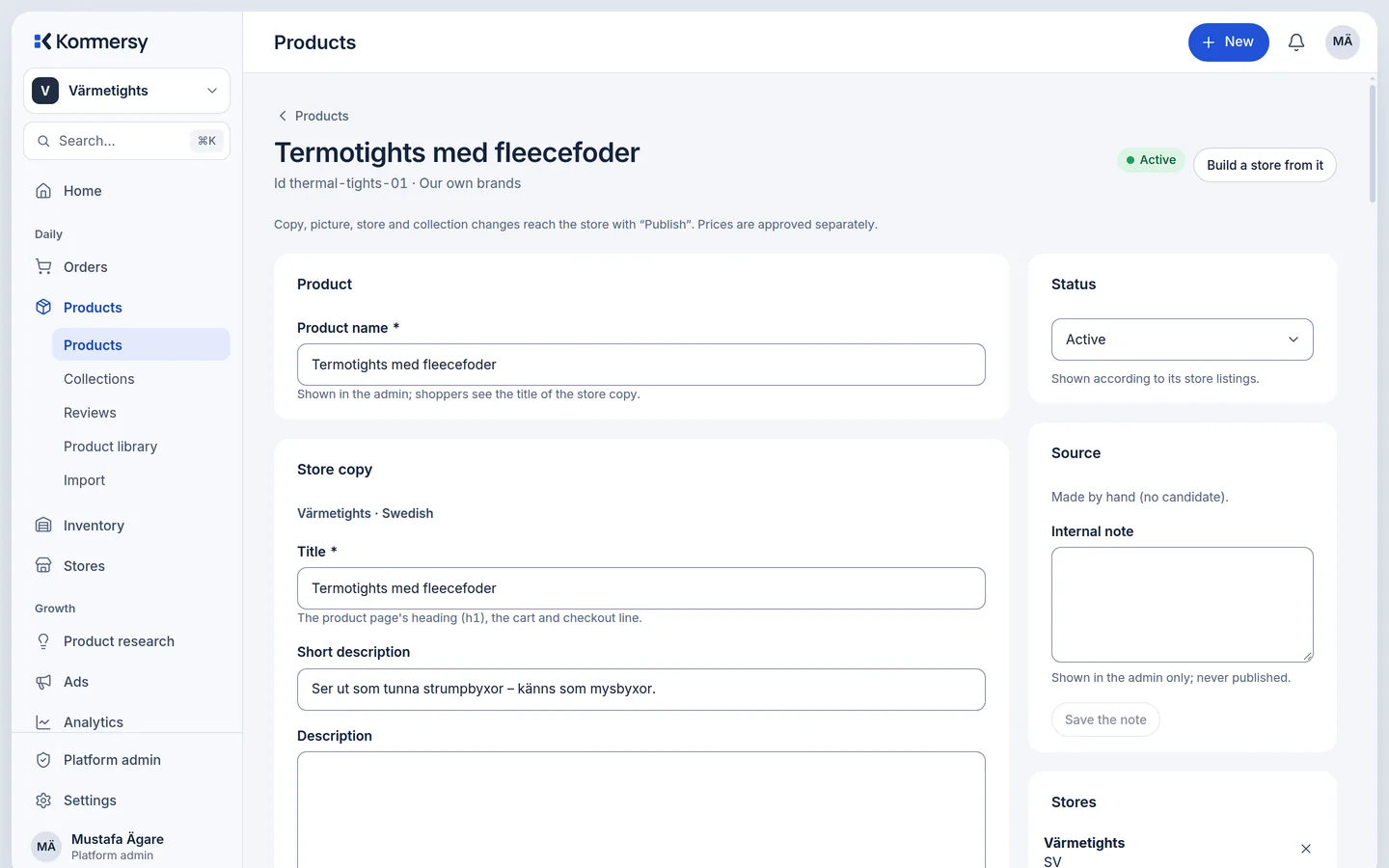
Product hub
Every picture, video and ad of a product in one place, with what is in use and what is not.
Link import with margin
Paste a supplier link. The product, its variants and prices come in, with the margin calculated.
EU and Swedish consumer law by default
A withdrawal button where the law puts it, no fake reviews, real VAT on every receipt.
Payments and checkout trust
Card payments through Stripe, order confirmations with the statutory information, receipts that add up.
TikTok and Meta ads
Ad campaigns and their results next to the product they sell, with the pixel and the server events in place.
Credits for AI work
Each AI run deducts its real AI cost from your credits. You see an estimate before it starts.
What it looks like.
Real screens of Kommersy, not mock-ups.
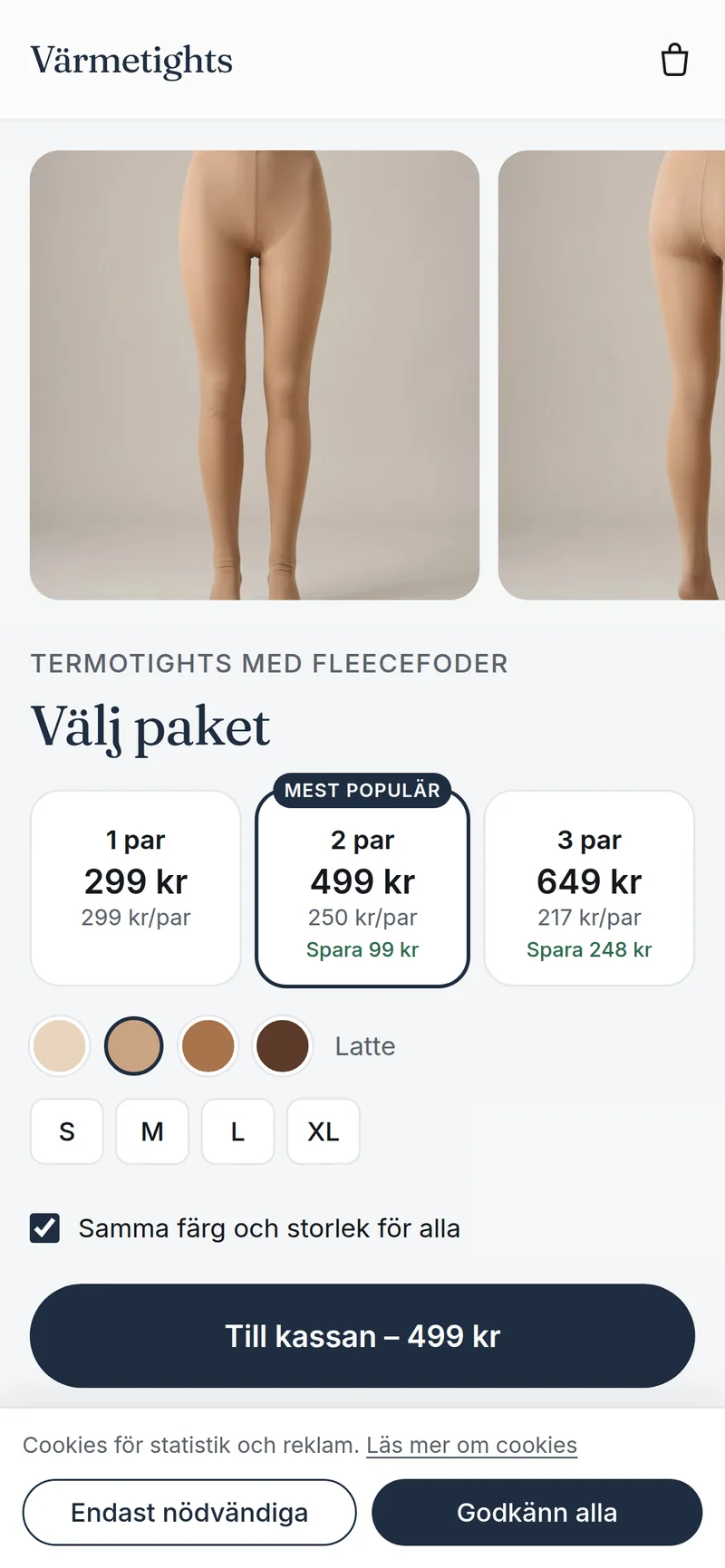

Kommersy runs the store with you.
Orders, payments, refunds, stock and shipping live in the same admin as the store. The legal side is built in, not bolted on.
- Order confirmations with the withdrawal information and the model form the EU directive asks for.
- Swedish VAT on every receipt and refund, in the shopper's currency.
- Reviews come from real orders. The platform makes none up.
Early access is open by invitation.
Pricing will be announced soon. Until then, the platform runs with invited sellers. See the pricing page for what is already decided.